
How to Use TiedUp
Put it somewhere. TiedUp remembers the rest.
Capture what's still open, tell TiedUp when you want to see it again,
and come back only when it needs your attention.
01 - Capture
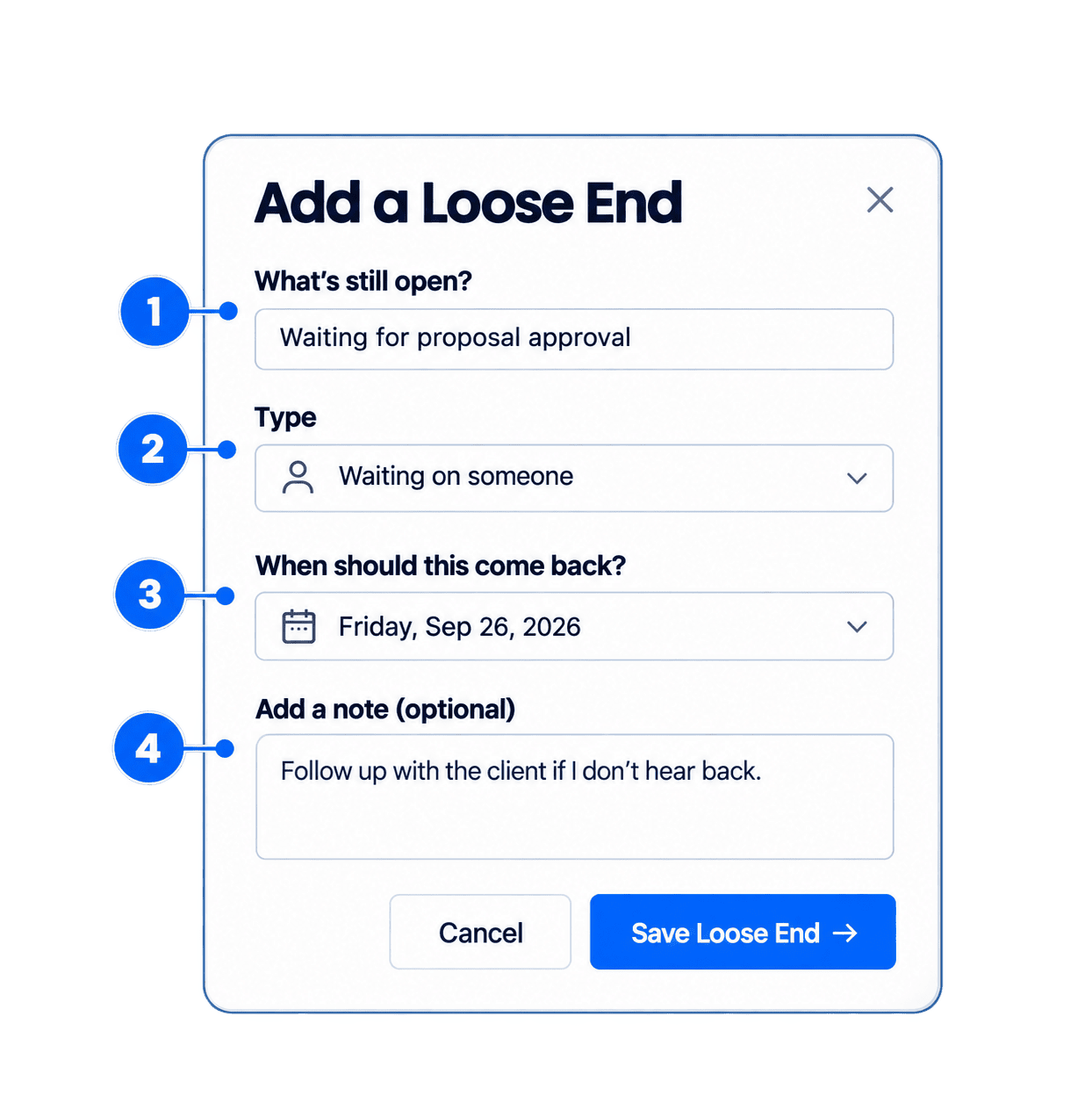
Add your first loose end.
When something is still open, start by selecting + Add Loose End.
Say what’s still open
Give the loose end a short, clear name.
Choose what kind of loose end it is
Select whether you're waiting on someone, made a promise, or need to revisit something.
Choose when it should come back
Tell TiedUp when you want this loose end to return to your attention.
Save it
Select Save Loose End and move on.
02 - Wait
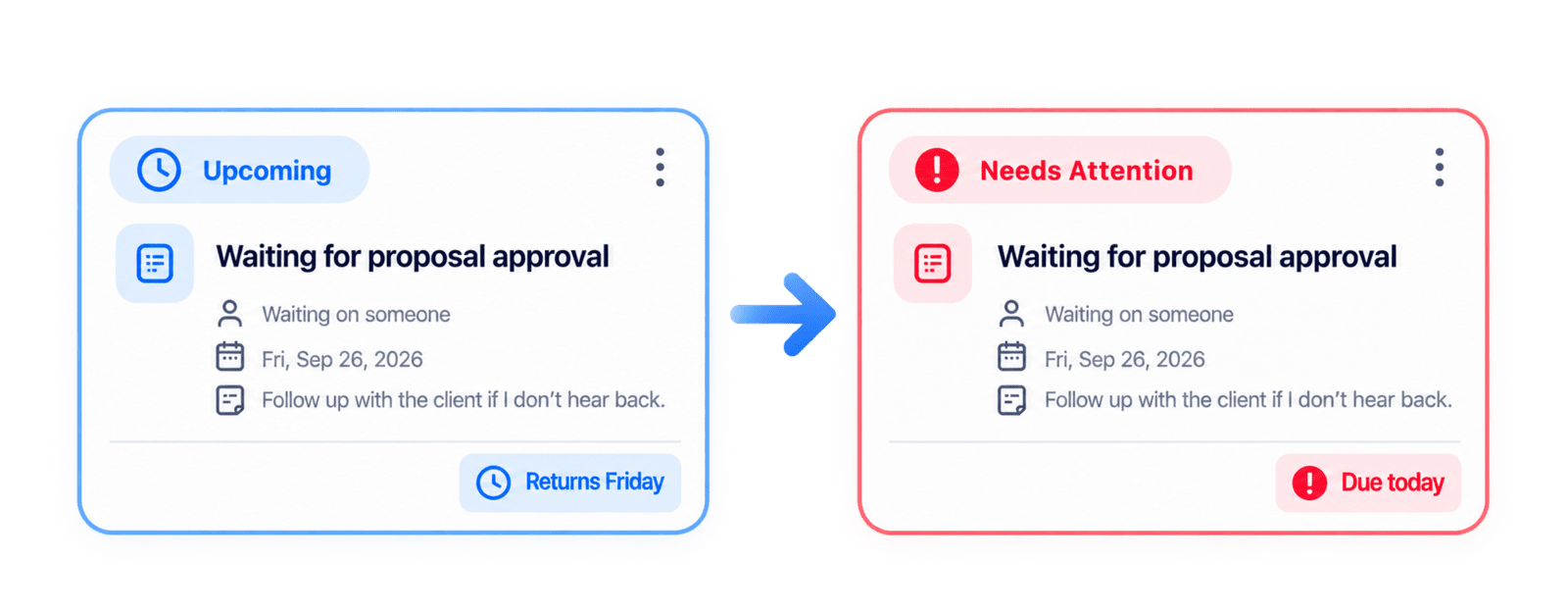
Leave it with TiedUp.
Once saved, your loose end stays out of the way until the time you chose. When it needs your attention,
TiedUp brings it back to Needs Attention.
03 – Handle
It’s back.
Decide what happens next.
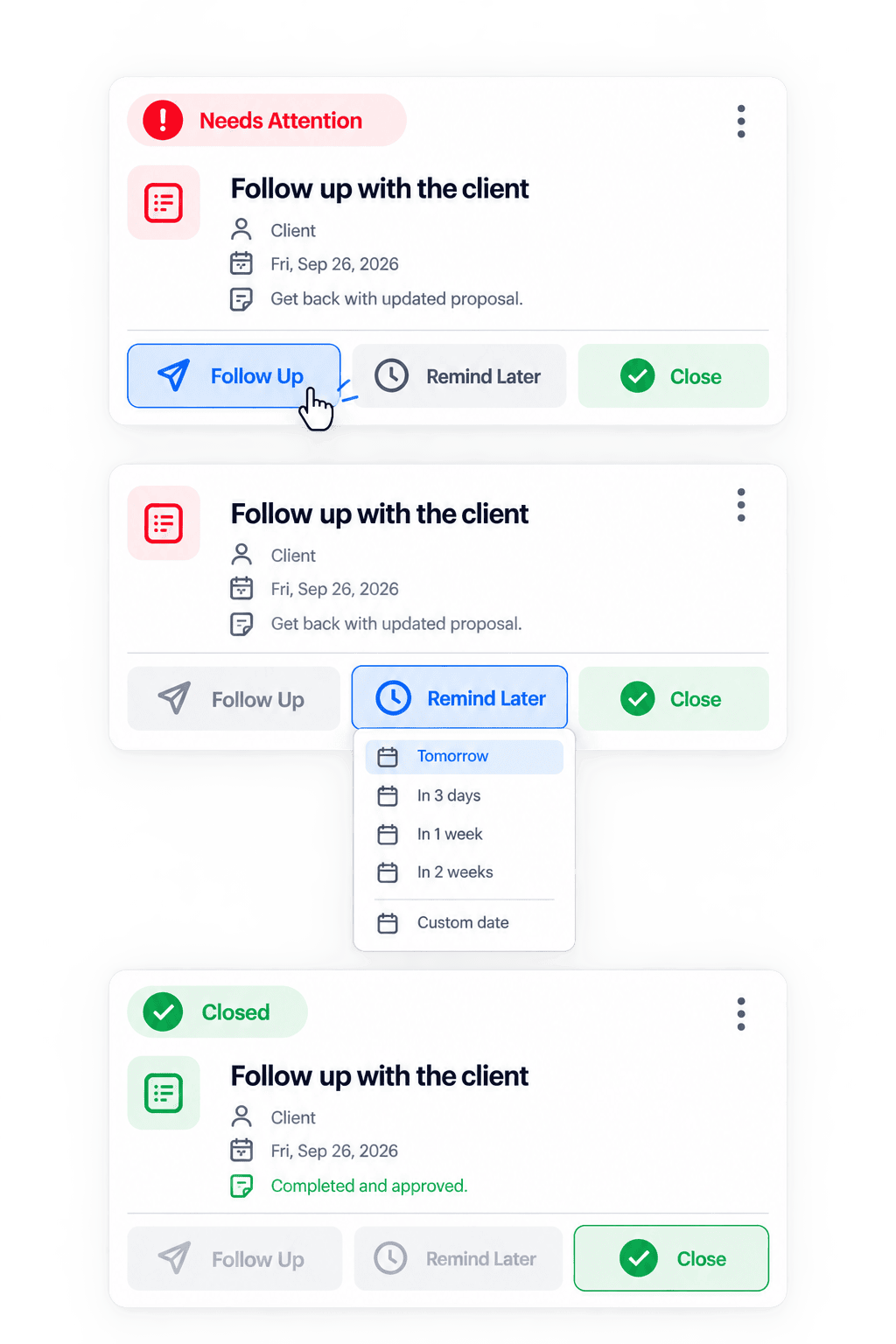
When a loose end appears in Needs Attention, choose what should happen next.
Follow Up
Still waiting on someone? Follow up and keep the loose end open until you get what you need.
Remind Later
Not ready to deal with it yet? Choose another time and TiedUp will move it out of the way until then.
Close It
Finished, resolved, or no longer relevant? Close the loose end and clear it from your attention.
Nothing stays in front of you unless it needs you.
That’s all you need to get started.
Capture what’s still open.
TiedUp will keep track of it and bring it back when it needs your attention.